Your whole Laravel workflow.
One native app.
Larvyn puts persistent terminals, parallel AI coding agents and every Laravel tool you reach for (Artisan, routes, models, database, Tinker, tests, queues and logs) into one fast desktop app.
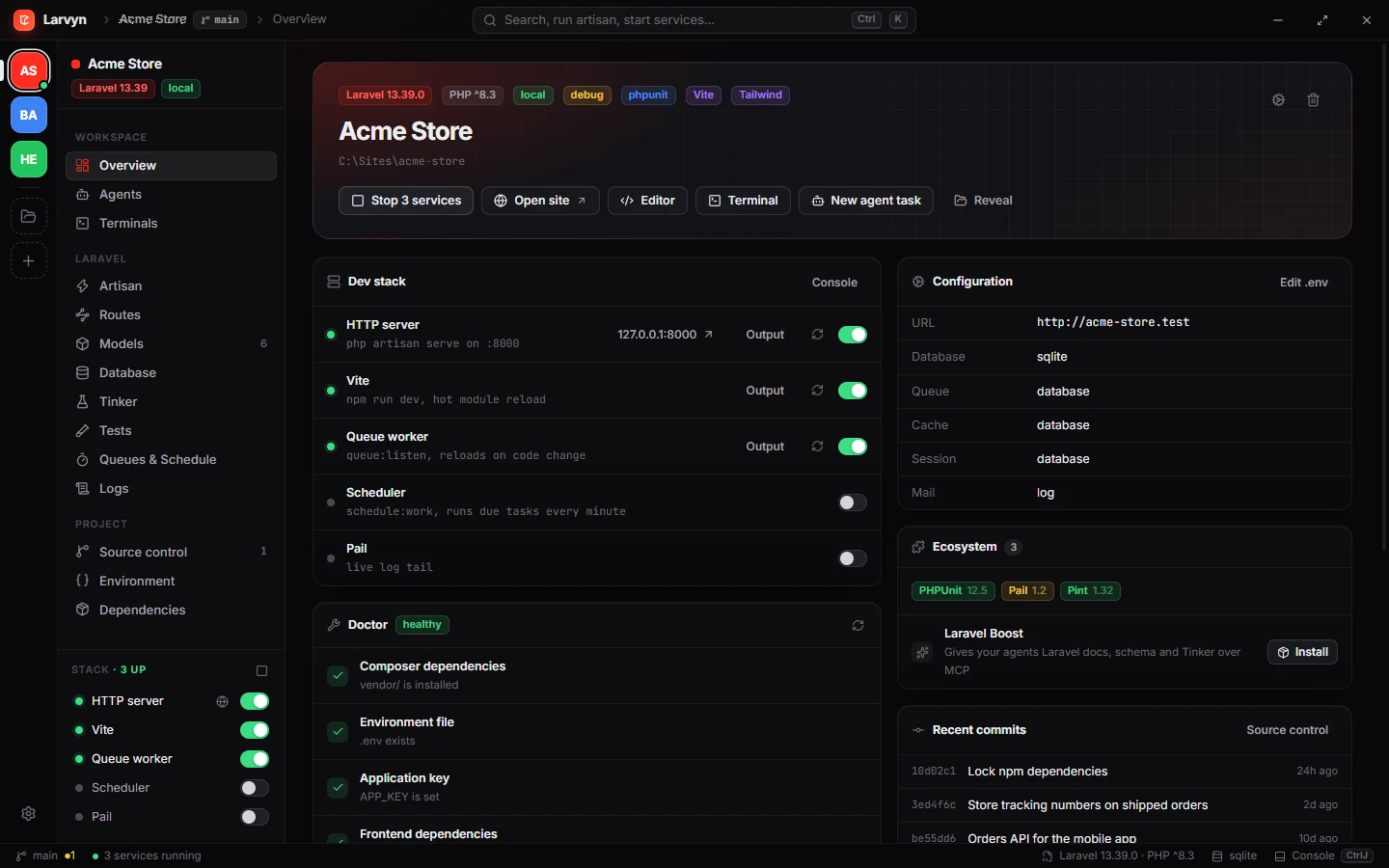
Built for the Laravel ecosystem and the agents you already use
Terminals, agents and Laravel. Finally in the same window.
Stop juggling a terminal app, an agent manager, a database client, a log viewer and five browser tabs. Larvyn knows it is a Laravel project and builds everything around that.
Terminals that stay alive
Real PTY sessions per project. They keep running when you switch views, keep 1 MB of scrollback and tell you when something needs attention.
- Colors, links, search and resize
- Bell alerts and activity markers
- A console drawer for every command you run
Agents in parallel
Send one task to several agents at once. Each works in its own git worktree, so nothing collides. Compare the diffs and merge the best one.
- Seven agent CLIs supported
- .env and SQLite copied into each worktree
- Live status: working, waiting, done
Laravel, natively
Larvyn boots your app to read real data: routes, models, config, schedule, failed jobs and your database, through your own connection.
- 12 dedicated Laravel views
- Tests and logs that link to the line
- One switch starts the whole dev stack
Everything a Laravel app needs, one click away.
Real screenshots of Larvyn working on a sample store app.
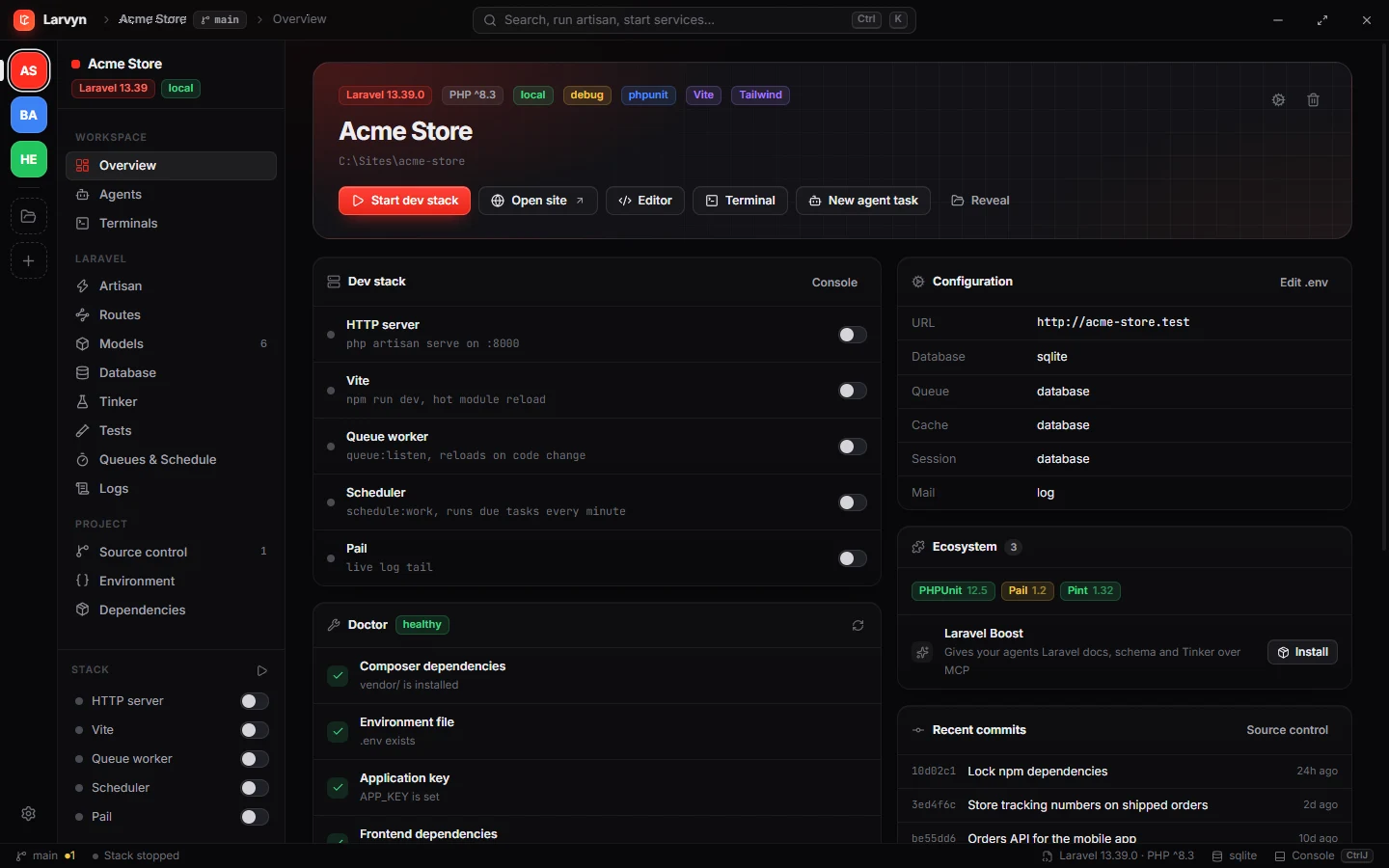
Your project at a glance. Versions, packages, .env facts, recent commits, a Doctor that checks your setup, and the whole dev stack one switch away.
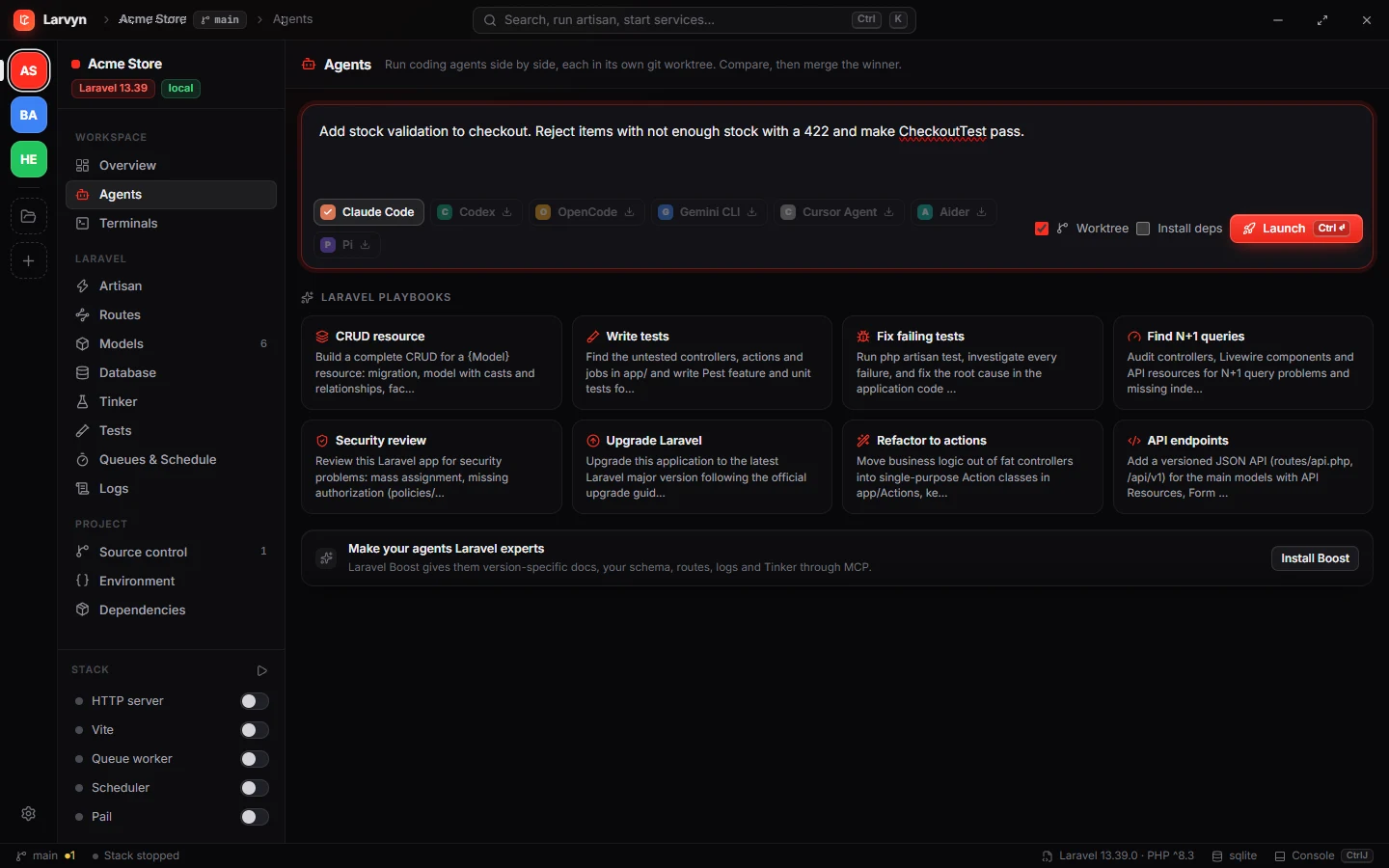
Describe it, launch it. Pick one or more coding agents, each gets its own git worktree with your .env and SQLite copied. Laravel playbooks get you started.
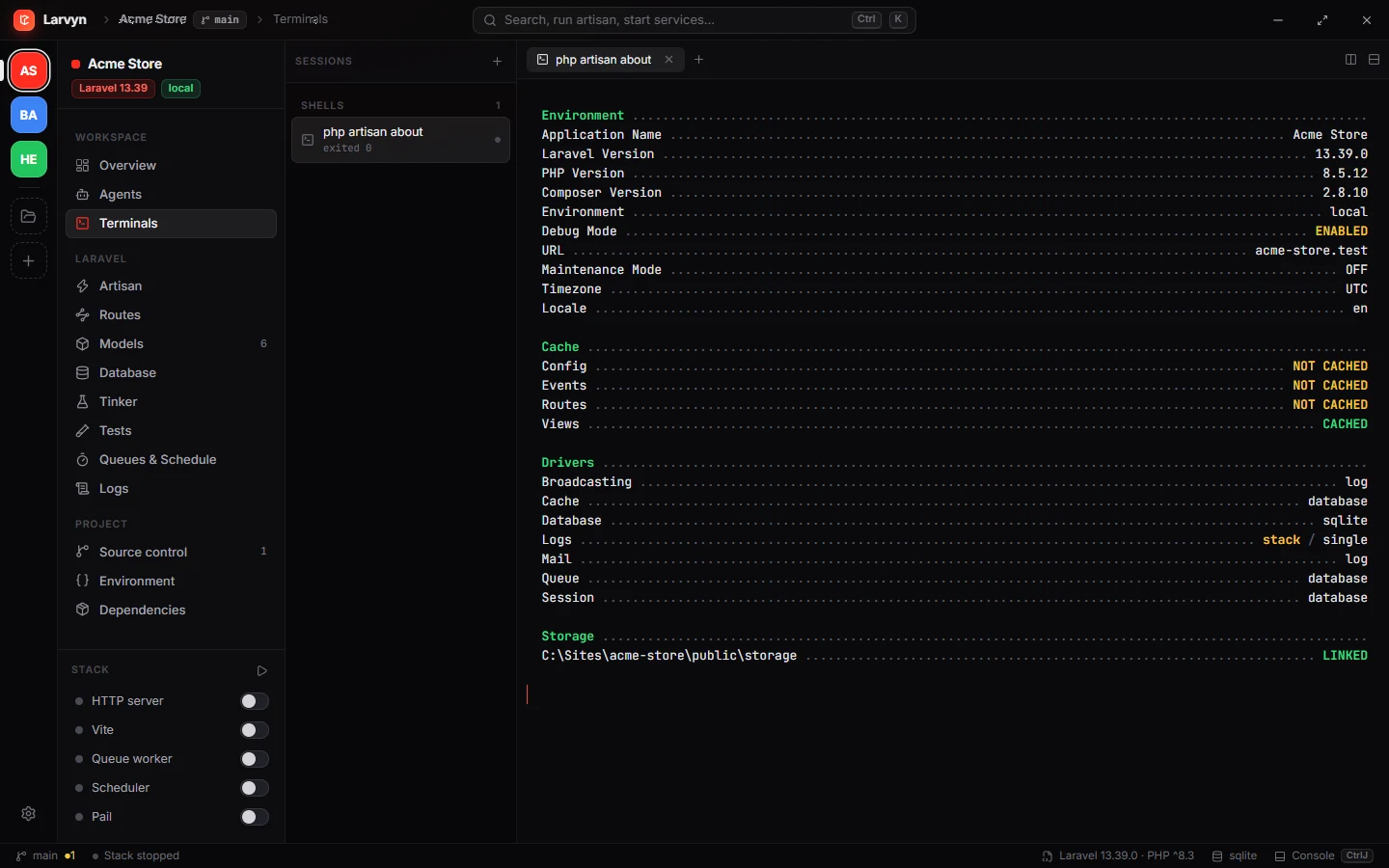
Real terminals that never die. Full PTY with colors, links and search. Switch views or projects and they keep running with their scrollback.
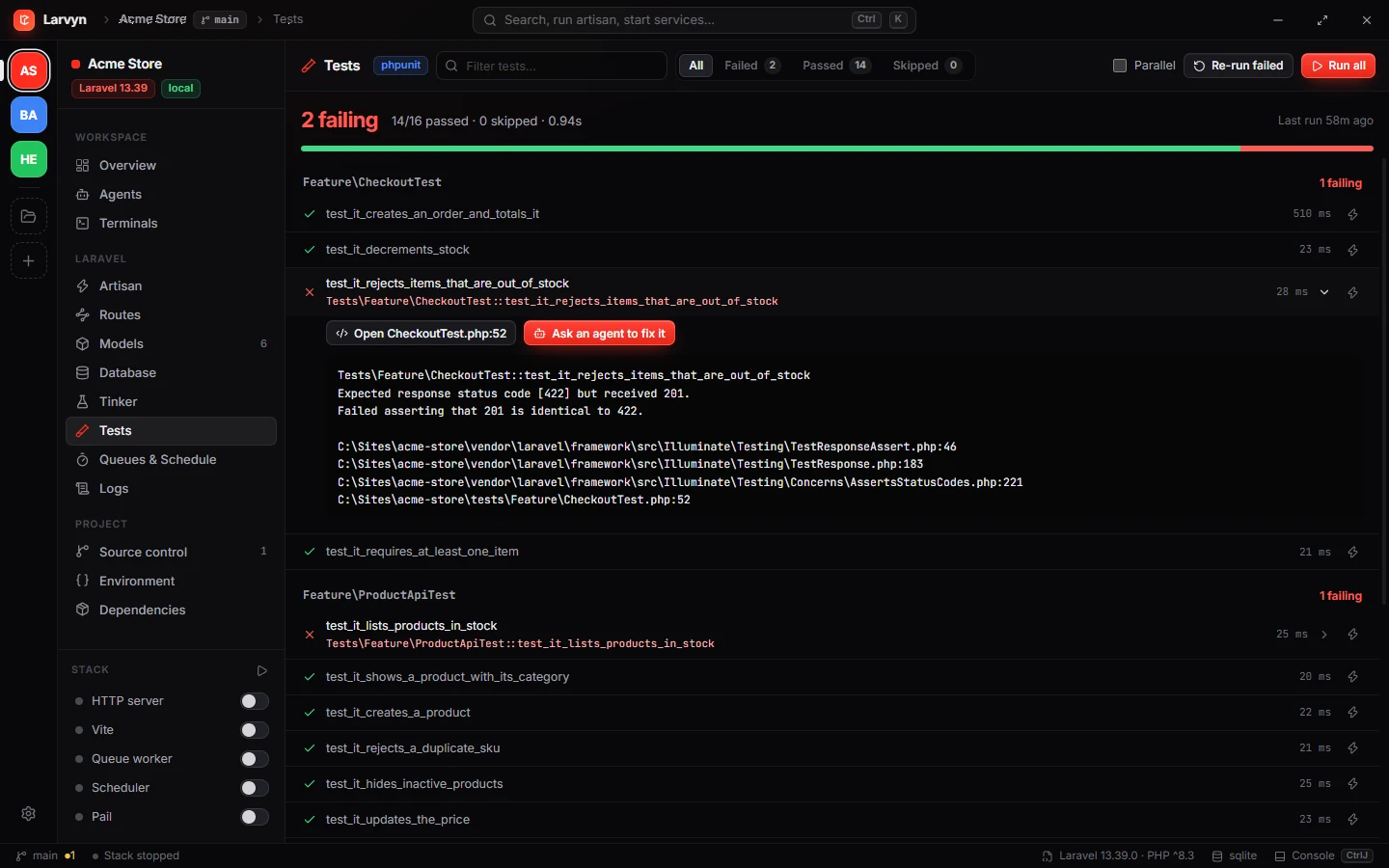
Every test, every failure, the exact line. Run Pest or PHPUnit, re-run only what failed, open the file or hand the failure to an agent.
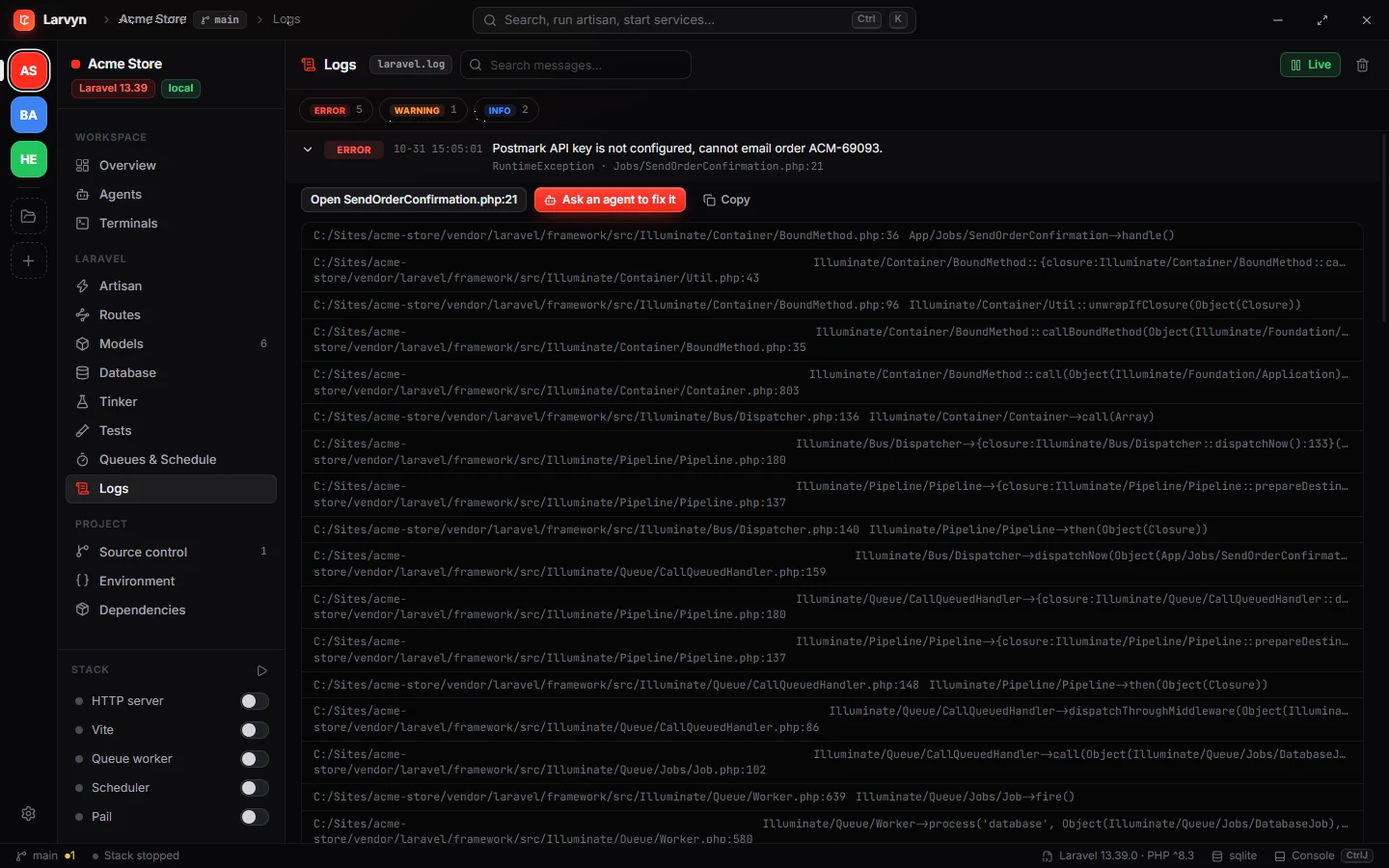
laravel.log, readable. Live tail with levels, parsed exceptions and stack frames that open in your editor. One click asks an agent to fix it.
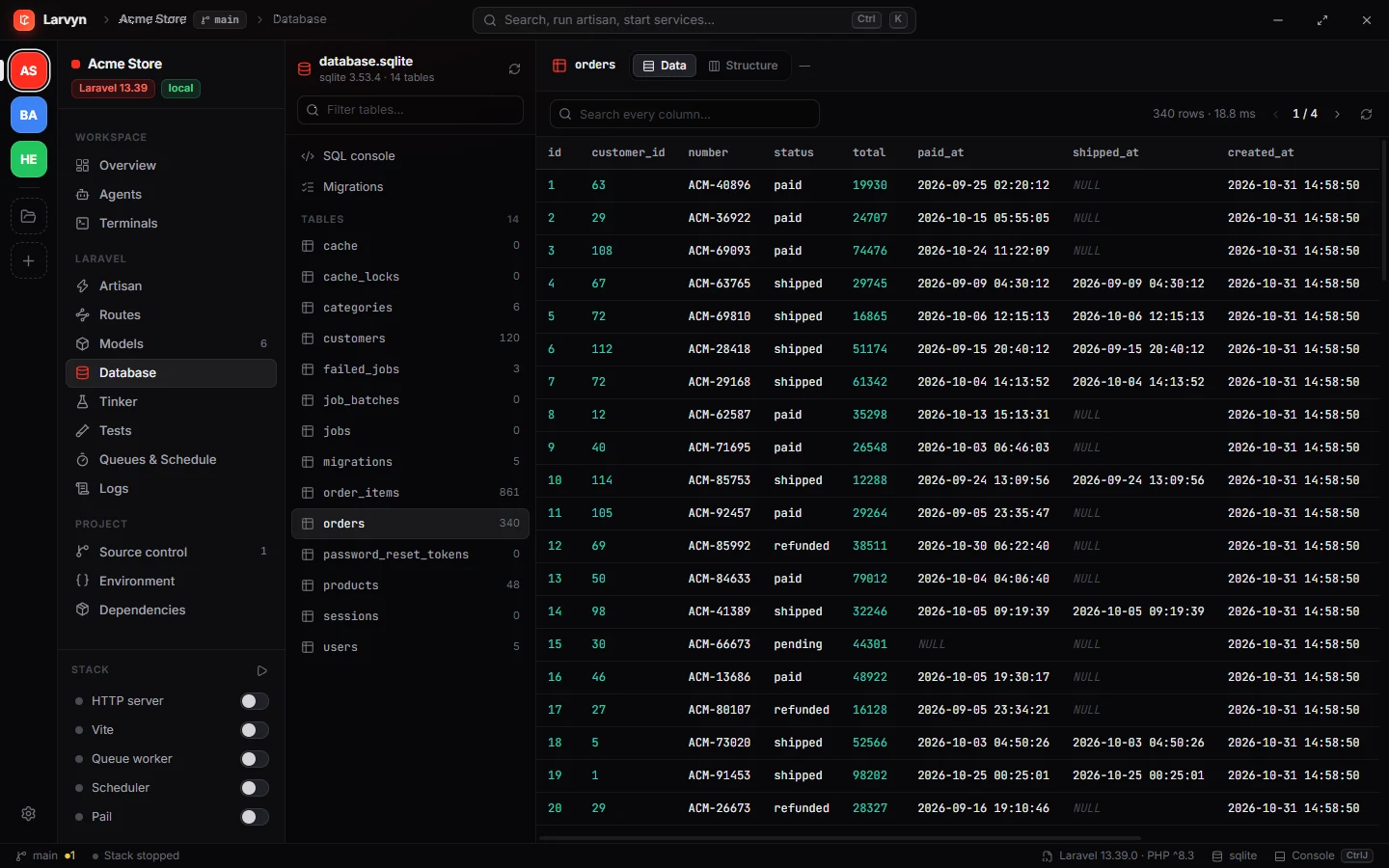
Browse and edit rows. Tables, structure, foreign keys and a SQL console, all through your app’s own connection. MySQL, Postgres, SQLite, SQL Server.
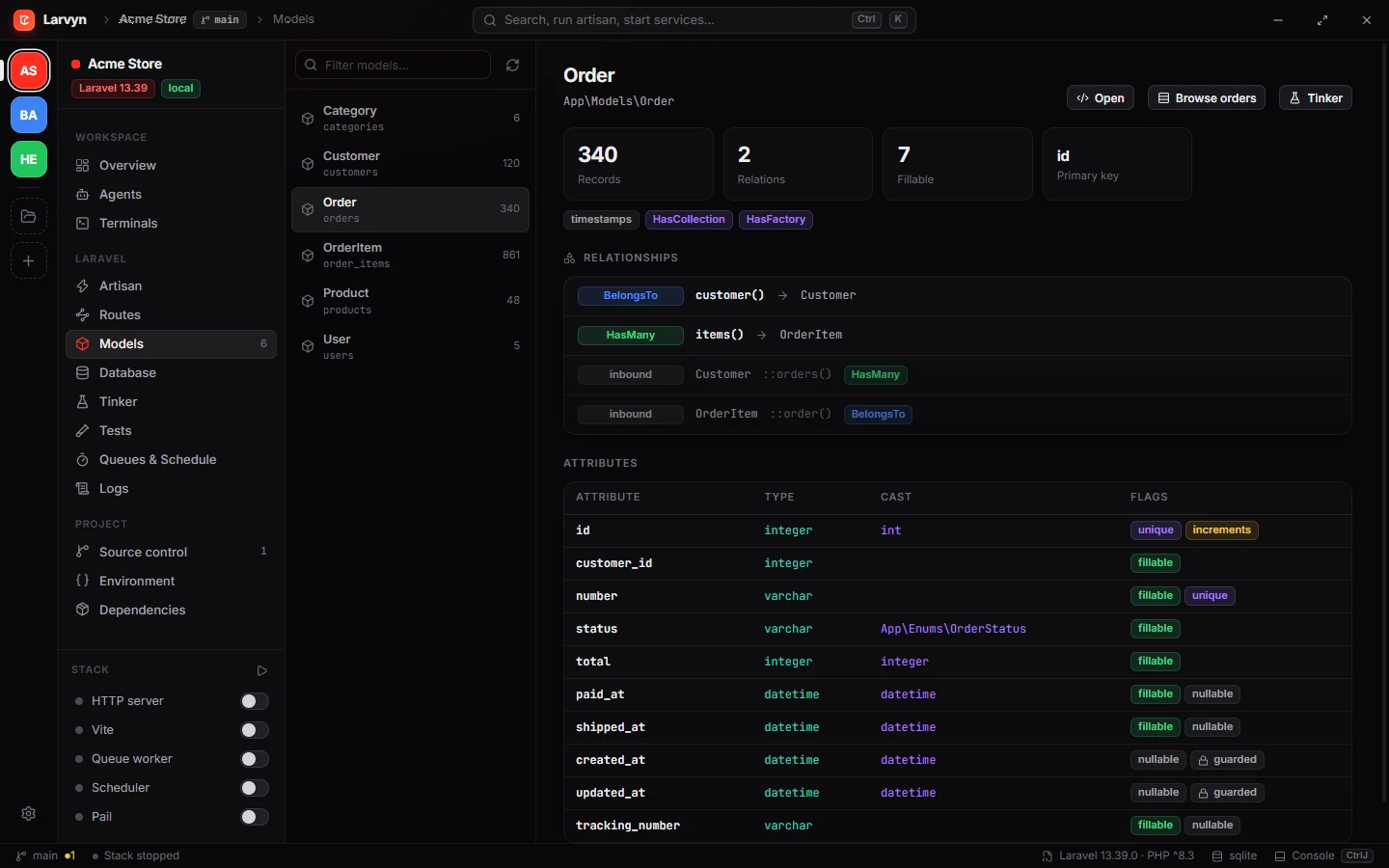
Eloquent, mapped. Attributes, casts, fillable and guarded fields, relationships in both directions and record counts for every model.
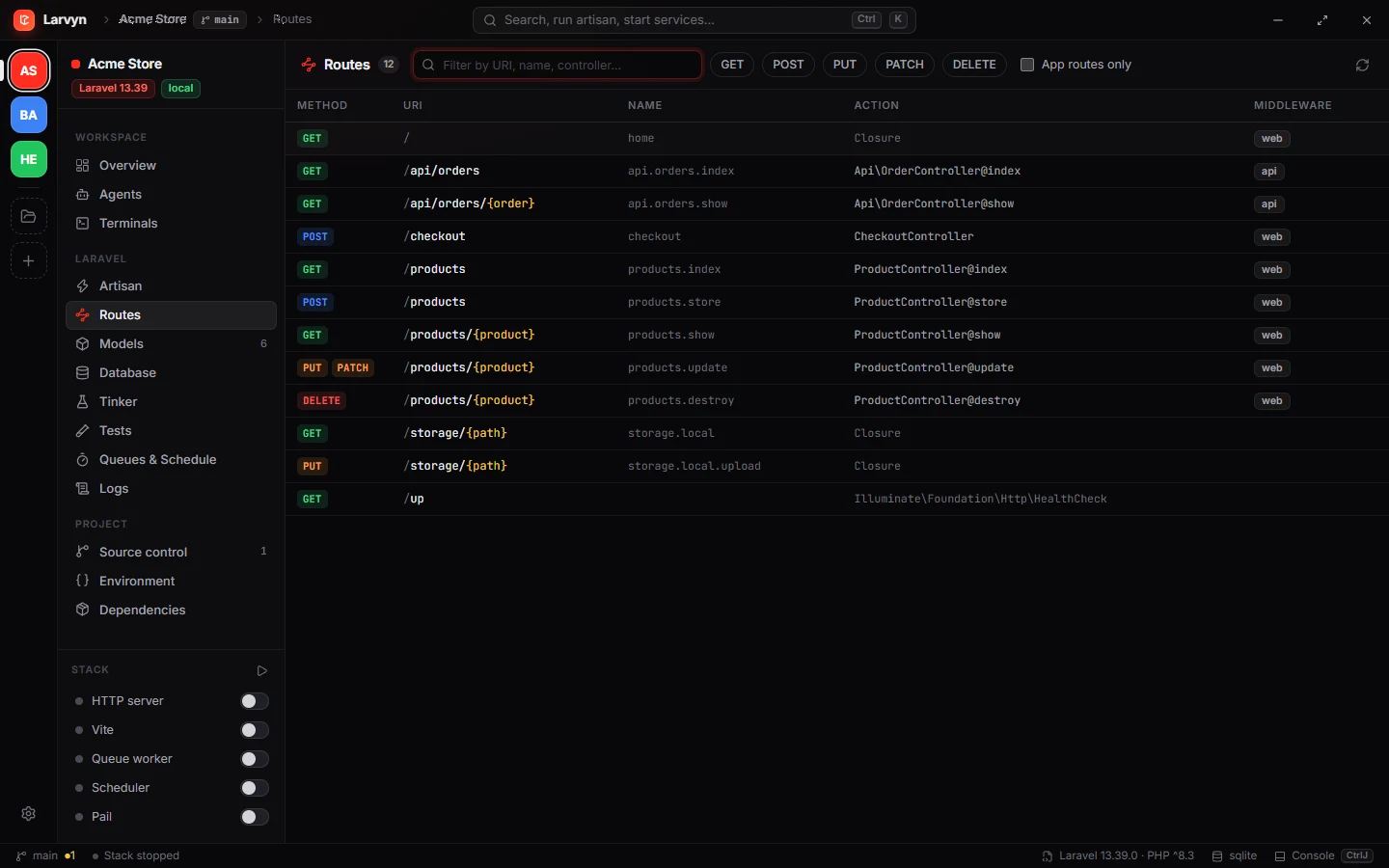
Every route, filterable. Methods, names, actions and middleware. Jump from a route straight to its controller method.
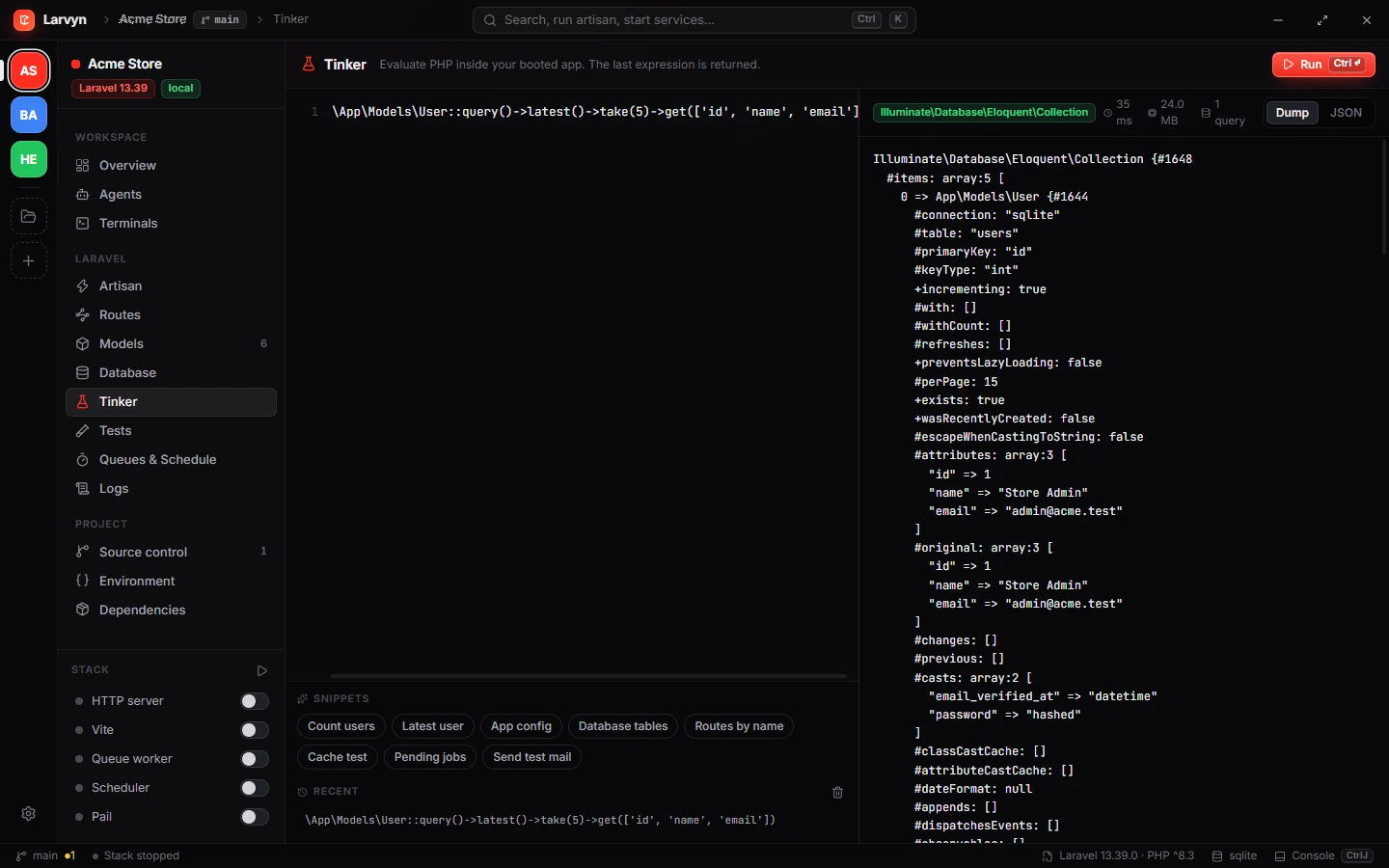
Tinker with an editor. Run PHP inside your booted app, see dumps or JSON, timing, memory and query count. Snippets and history included.
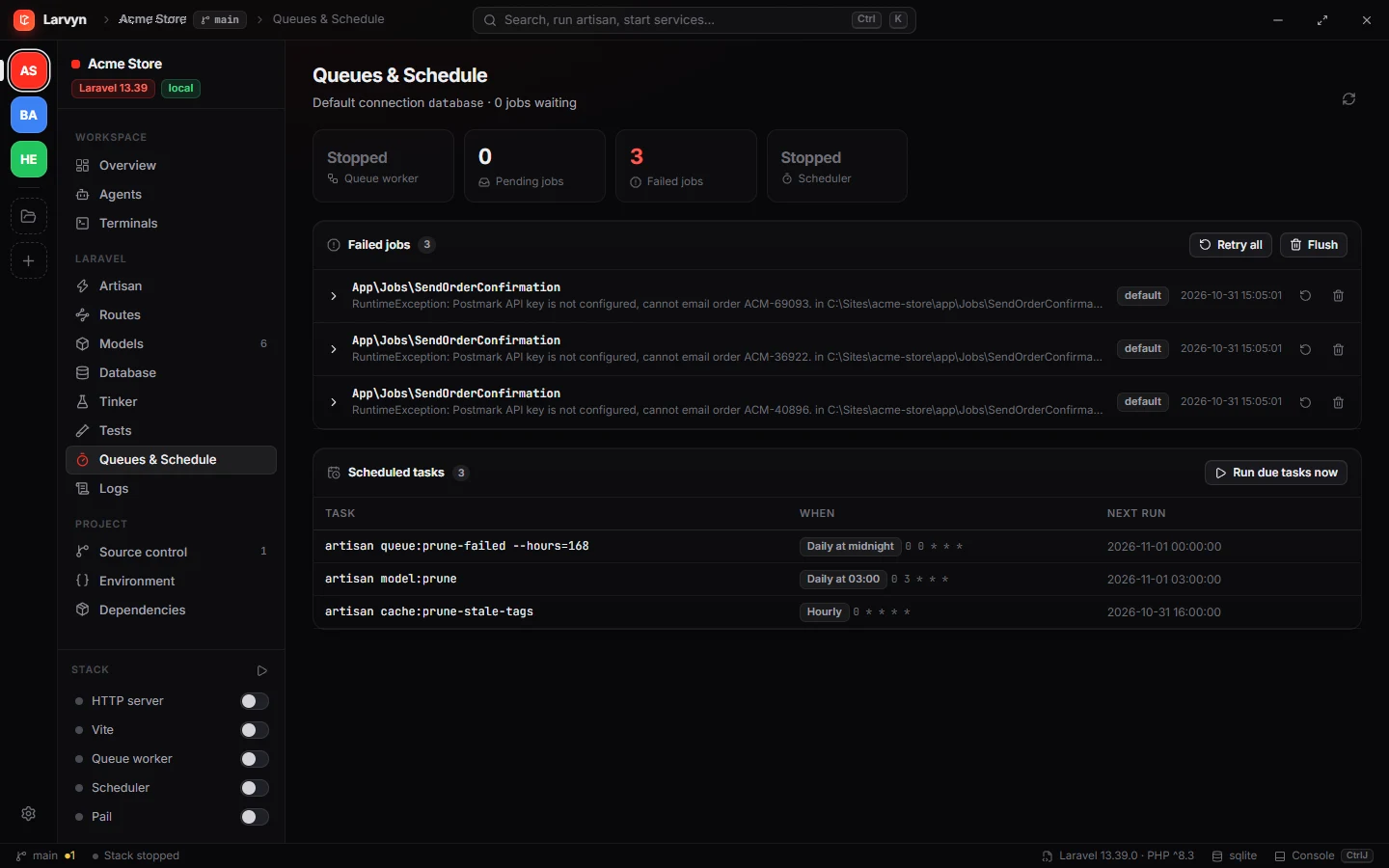
Queues and schedule. Failed jobs with their exceptions, retry or flush them, and every scheduled task with its next run.
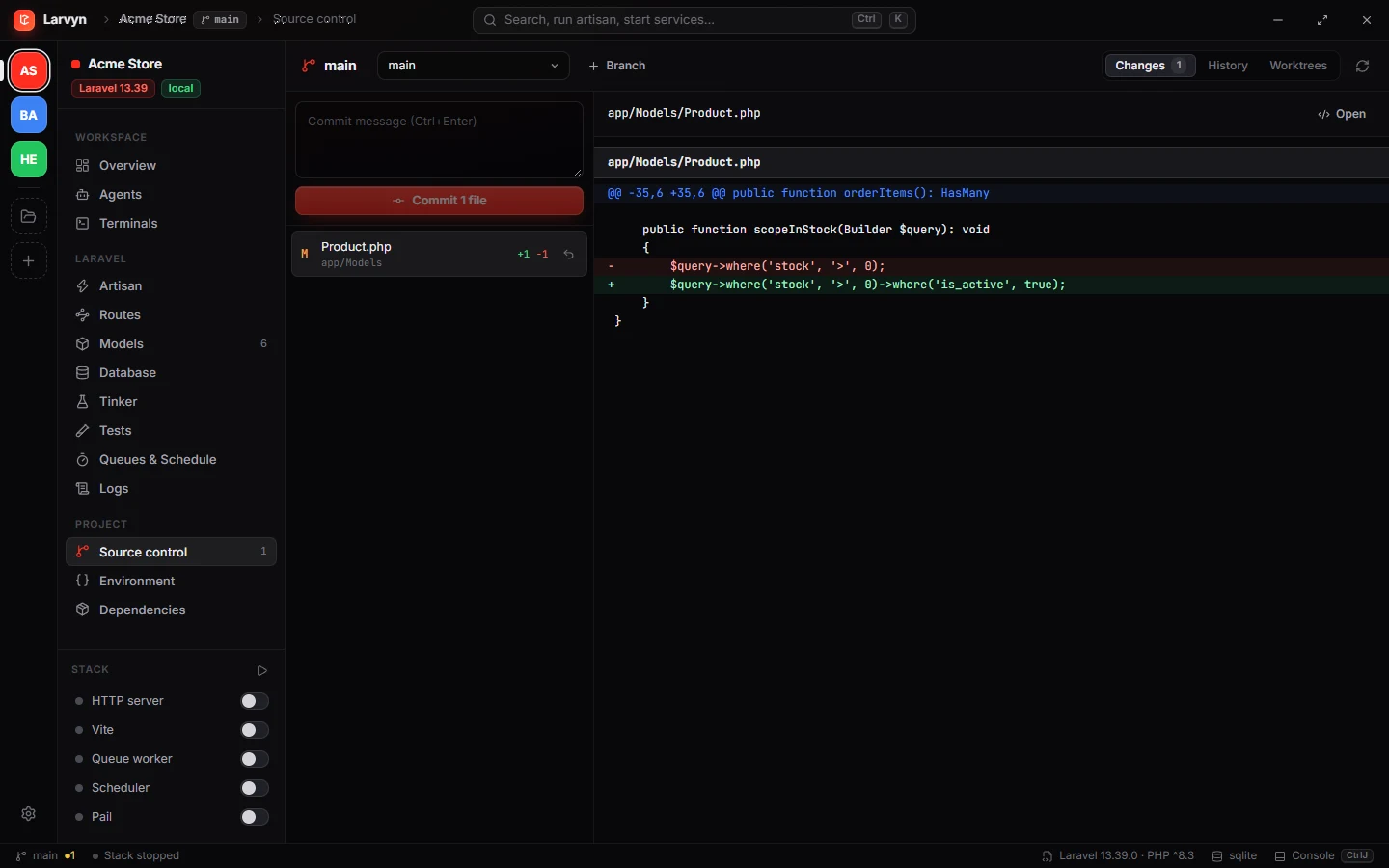
Source control built in. Status, diffs, commit, branches and worktrees, without leaving the app.
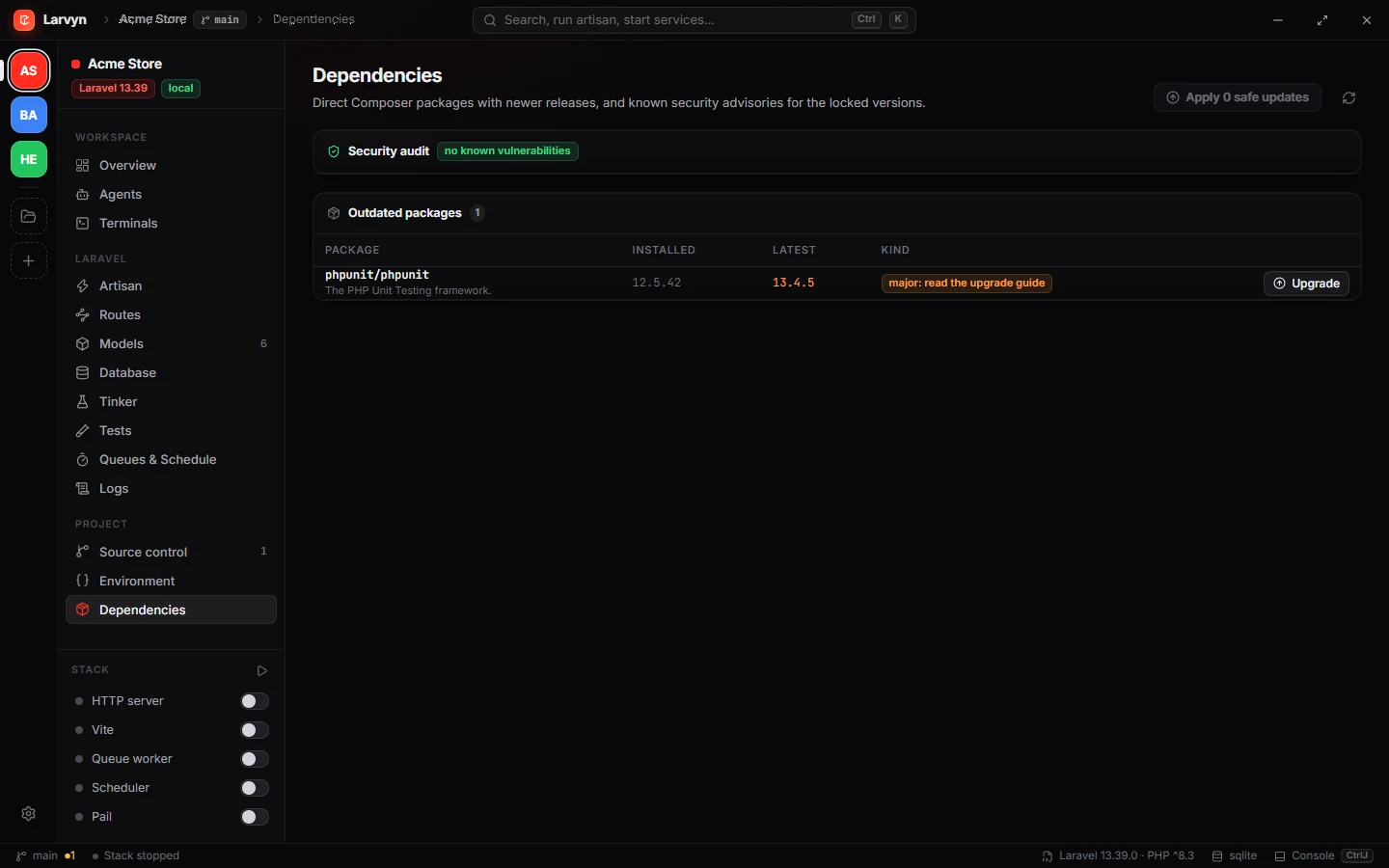
Stay current and safe. Outdated Composer packages split into safe and major updates, plus composer audit for known CVEs.
One prompt. Several agents. Pick the best result.
Write what you want in plain words. Larvyn creates a worktree per agent, copies your environment, starts each agent and shows its terminal live. When they finish, review every diff and merge with one click.
larvyn/stock-validation-1larvyn/stock-validation-2larvyn/stock-validation-3From red to green without hunting.
Larvyn runs php artisan test and shows every test grouped by class. Failures come with the message, the trace and the exact line in your code, not in vendor/.
-
Re-run only what failedOr a single test, with one click.
-
Open the failing lineIn VS Code, Cursor, PhpStorm, Zed, Windsurf, Sublime or Neovim.
-
Ask an agent to fix itThe failure and trace go with the prompt.
Exceptions you can act on.
A live view of laravel.log that parses every entry: level, time, exception class and the first frame in your app. Expand an error to see the full trace, open the file, or send it to an agent.
-
Live tailNew entries appear as they are written.
-
Filter by level and textErrors, warnings, info, or any word.
A database client that already knows your app.
No connection strings to copy. Larvyn reads your tables through Laravel’s own connection, so it works with whatever your .env points at.
-
Browse, search and edit rowsPaginated, with inline updates and deletes.
-
SQL consoleRun queries and read results in a grid.
-
MigrationsSee what ran and what is pending.
Type anything. Larvyn knows what you mean.
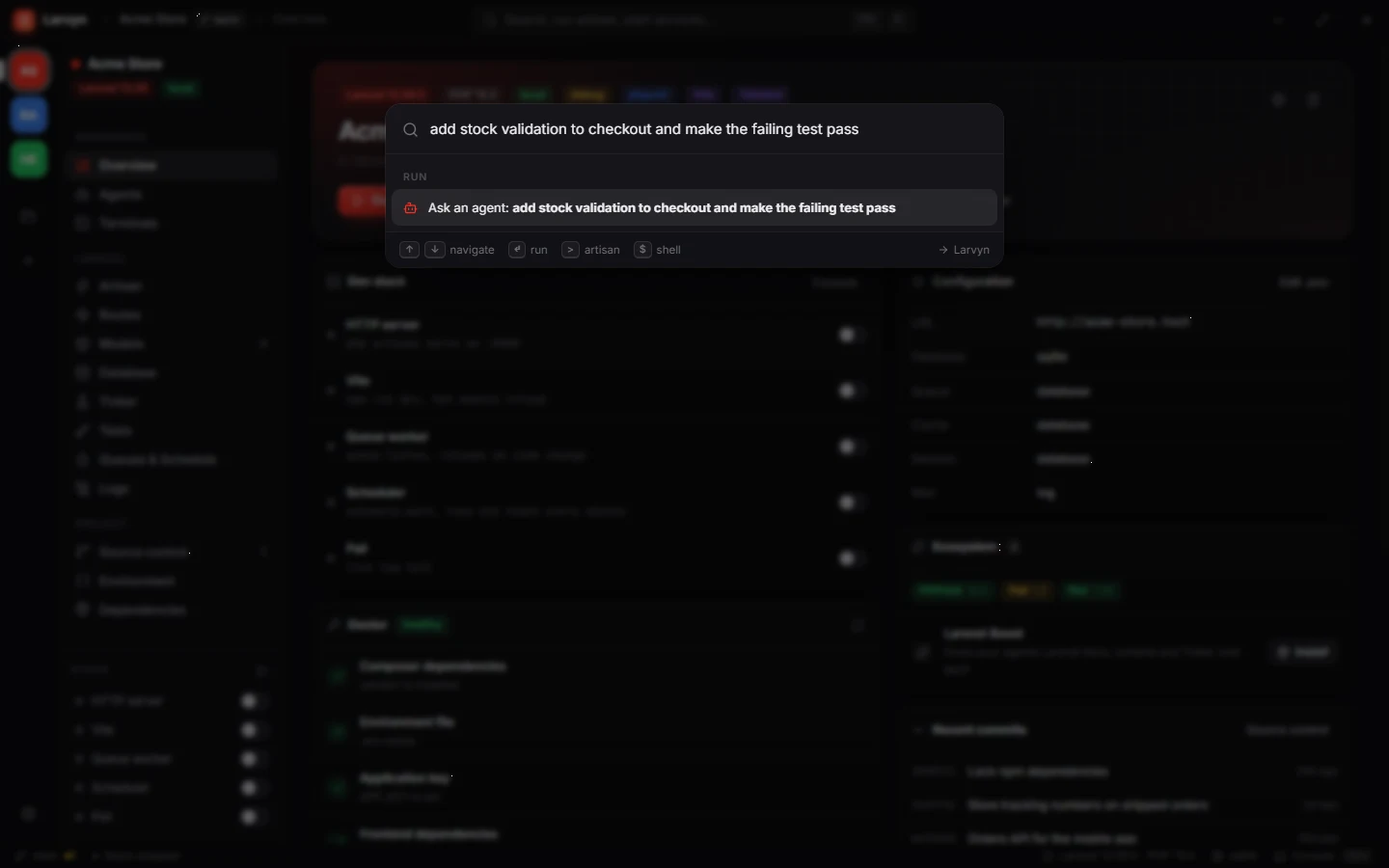
Ctrl K opens a palette that reads your intent: an artisan command, a shell line, a bit of PHP for Tinker, or a task for an agent. Try it.
Everything you need. Nothing you have to configure.
Add a folder and Larvyn detects the Laravel version, packages, frontend, database, queue and Herd URL on its own.
Persistent terminals
PTY sessions that survive view and project switches, with bell alerts when a process needs you.
Parallel agents
Claude Code, Codex, Antigravity CLI, Cursor Agent, OpenCode, Aider and Pi, side by side.
Isolated worktrees
Each agent works on its own larvyn/<task> branch. Review the diff, merge the winner.
One-click dev stack
serve, Vite, queue or Horizon, scheduler, Pail, Reverb and Octane, together or one by one.
Artisan studio
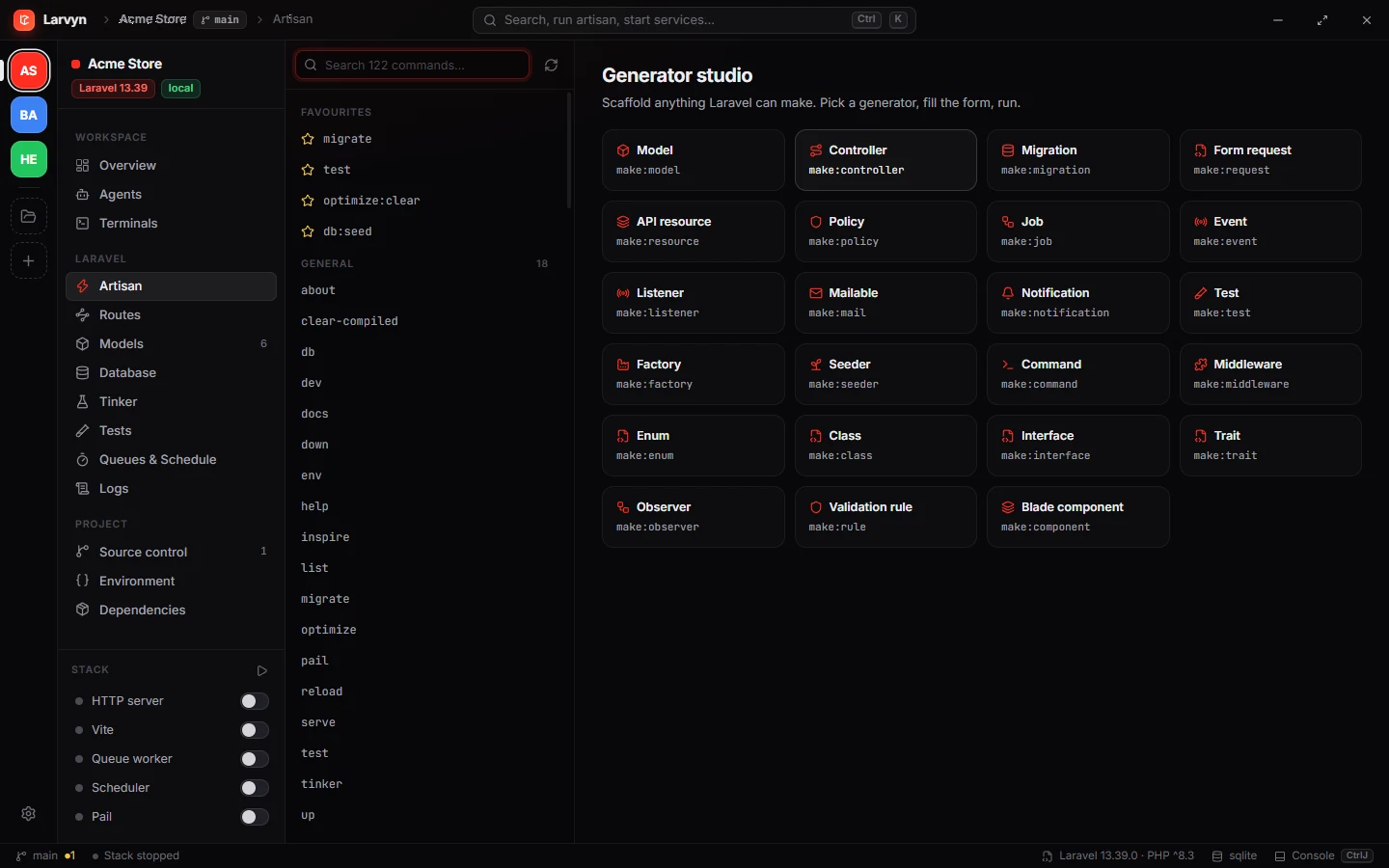
Every command with its arguments as a form, favourites, and a generator for anything make: creates.
Route explorer
Filter by method, URI, name or middleware and open the controller at the right line.
Model inspector
Attributes, casts and relationships for every Eloquent model, plus record counts.
Database browser
Rows, structure, indexes, migrations and a SQL console through your app’s connection.
Tinker editor
Write PHP, run it in your app, read dumps or JSON with timing and query counts.
Test runner
Pest and PHPUnit with per-test results, filters, parallel runs and failure details.
Log viewer
Live laravel.log with parsed exceptions and frames that open in your editor.
Queues & schedule
Failed jobs, retries and every scheduled task with its next run time.
.env editor
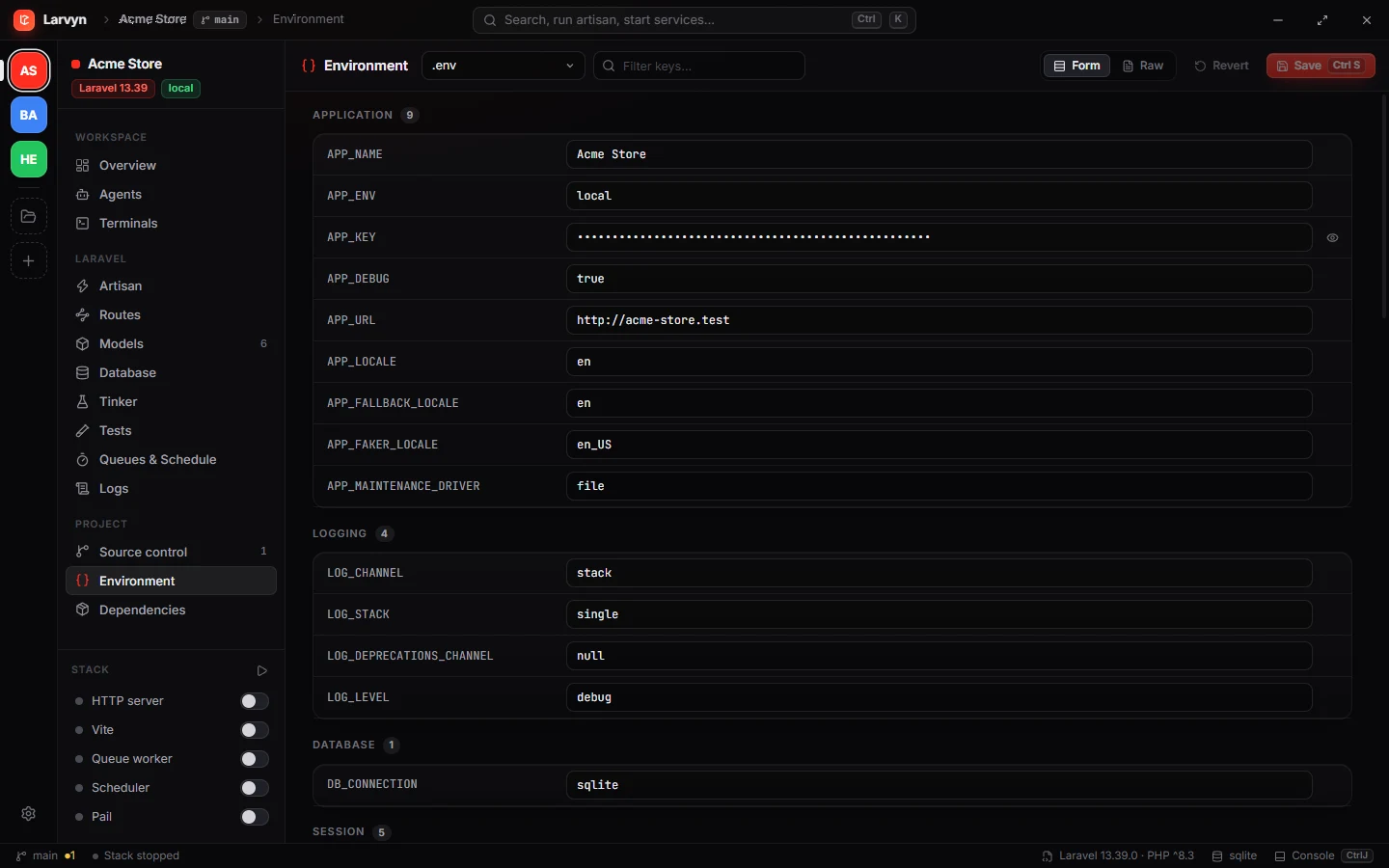
Edit the environment safely: a backup is kept before every save.
Security audit
composer audit and outdated packages with one-click safe updates.
Project doctor
Checks vendor, APP_KEY, storage link, migrations and frontend dependencies.
Command palette
Ctrl K understands artisan, shell, PHP and plain English.
From idea to merged in four steps.
Describe the task
In the palette or the Agents view, in plain words. Or start from a Laravel playbook.
Agents get to work
Each in its own worktree and branch, with your .env and database copied over.
Review and test
Read every diff, run the tests in each worktree, ask for follow-ups.
Merge the winner
One click commits the agent’s work and merges its branch. Remove the worktrees you no longer need.
Small details, everywhere.
Install with one command.
Paste it in a terminal. Run the same command again any time to update.
Open PowerShell and run:
irm https://larvyn.dev/install.ps1 | iexInstalls to your user folder, no administrator rights needed, and adds Larvyn to the Start menu.
Open Terminal and run:
curl -fsSL https://larvyn.dev/install.sh | shInstalls Larvyn.app to ~/Applications. Universal build for Apple Silicon and Intel.
Open Terminal and run:
curl -fsSL https://larvyn.dev/install.sh | shInstalls to ~/.local/bin and adds Larvyn to your apps menu. Needs GTK 4 and WebKitGTK 6.0 (Ubuntu 24.04+, Fedora 39+, Arch); the installer tells you if they are missing.
- Every download is checked against the release checksums
- Re-run to update, your settings are kept
- Release notes and manual downloads
Questions, answered.
Do I need Laravel Herd?
No. Larvyn uses whatever PHP, Composer and Node are on your PATH, and picks up Herd automatically when it is installed, including its site URLs. If Composer is missing, Larvyn can install it for you and verifies the installer’s signature.
Which coding agents work with it?
Claude Code, Codex, Antigravity CLI, Cursor Agent, OpenCode, Aider and Pi. Larvyn detects which ones are installed and runs them in real terminals, so they behave exactly as they do in your shell.
Will agents touch my working copy?
Only if you want them to. With worktrees on, each agent gets its own larvyn/<task> branch in a separate folder, with your .env and SQLite database copied. Those copies are never committed. You review the diff and decide what to merge.
Does Larvyn change my project?
No. It reads your project to show routes, models, logs and data, and only writes when you ask: saving the .env (a backup is kept first), editing a row, running a command or merging a branch.
Where is my data stored?
On your machine, in a single state file in your app data folder. There are no accounts and nothing is sent anywhere.
Which systems does it run on?
Windows 10 and 11, macOS 12 or newer (Apple Silicon and Intel) and Linux x86-64. Larvyn is in public beta on all three, so expect rough edges and tell us what breaks.
Why install from the terminal?
The beta builds are not code-signed yet, so a file downloaded in the browser shows a security warning. The install command downloads the same release from GitHub, verifies its checksum and puts it in your user folder without that warning. You can read the scripts first: install.sh and install.ps1.
How do I uninstall it?
On macOS and Linux run curl -fsSL https://larvyn.dev/install.sh | sh -s -- --uninstall. On Windows run $env:LARVYN_UNINSTALL = "1"; irm https://larvyn.dev/install.ps1 | iex. Your settings stay in your config folder until you delete it.
I found a bug. Where do I report it?
In the app, open Settings → Report a bug: it opens a GitHub issue with your Larvyn version and system already filled in. You can also open an issue directly, or ask questions and share ideas in Discussions. Security problems go through a private report, never a public issue.

Build Laravel apps
at the speed of thought.
Terminals, agents and every Laravel tool in one native window.